
cPanel: Change PHP Version via Select PHP Version

With Select PHP Version (also known as PHP Selector), you can change PHP version and enable specific options or extensions for your website.
Please follow the steps below to change the PHP version for your website.

1. Login to your hosting control panel (EG. http://yourdomain.com/cpanel).
2. Click Select PHP Version icon under "Software" section.
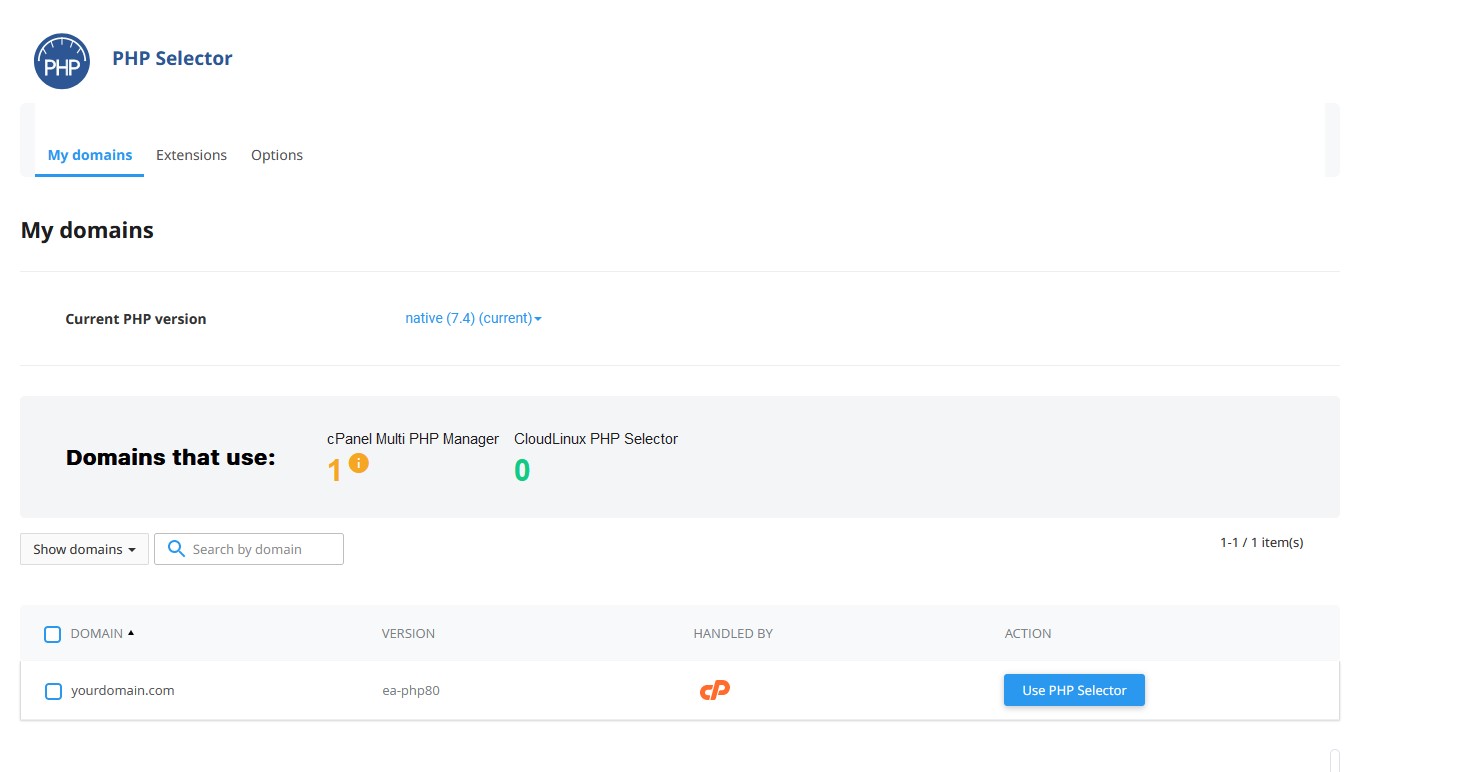

3. Under "Action", click Use PHP Selector.
4. A popup will appear, click Confirm.
5. Click Apply to save the changes.
6. Select your desired PHP version from "Current PHP version".
7. Click Set as current to save the changes.

You may personalize the PHP options and extensions by navigating to Extensions tab and Options tab.

Note: Please note that this feature is not available by default, please contact our support team for further enquiry regarding this feature.

  • 13 أعضاء وجدوا هذه المقالة مفيدة
هل كانت المقالة مفيدة ؟

مقالات مشابهة

PHP 5.4 has Deprecate the Function SESSION_REGISTER()

The PHP function SESSION_REGISTER() has been deprecated as of PHP version 5.4.Instead, use the...

SolidCP & MSPControl: Creating virtual directories

Please follow the steps below to create virtual directory.1. Log in to your hosting control panel...

SolidCP & MSPControl: Changing web extensions

Please follow the steps below to change your website extension.1. Log in to your hosting control...

SolidCP & MSPControl: Set website default first page

The default page is the first page that will be display when a user visit your website.Please...

Website transfer requirement

Website transfer is a process to transfer your website content from your current hosting provider...