
SolidCP & MSPControl: Change email account password from webmail

Your can change your email password from your webmail, but you need to know your current email password.

Please follow the steps below to change your email accounts password:

1. Login to your webmail (EG: http://webmail.yourdomain.com).
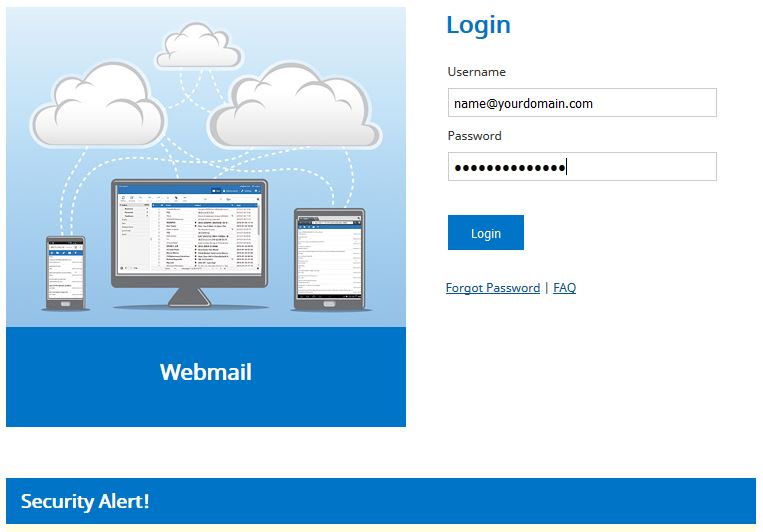
1

2. Go to Setting on the top.

2

3. Click Password.
4. Enter your "Current Password", "New Password" and repeat your new password at "Confirm New Password".
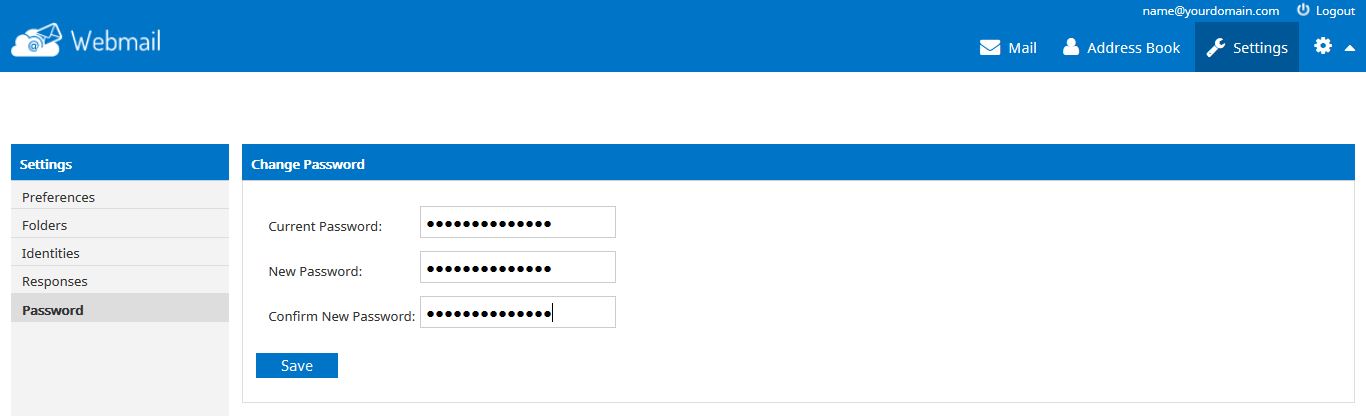
3

5. Always use a strong email password.
6. Click Submit to save changes.

Warning! Do not give away your email password and always use a strong password to protect your email.
Hosting company will not ask for your email password.


  • 0 Users Found This Useful
Was this answer helpful?

Related Articles

DirectAdmin: Change email password

Please follow the steps below to reset or change email password in DirectAdmin control panel. *...

cPanel: Delete email accounts

Please follow the steps below to delete Email Accounts:1. Login to your hosting control panel...

DirectAdmin: Creating new email account

Please follow the steps below to create your email account in DirectAdmin control panel. *...

DirectAdmin: Access email from webmail

Please follow the steps below to access your webmail using webmail.1. Open your favourite web...

SolidCP & MSPControl: Create email aliases

Email aliases is an email account that does not store emails, all emails received will be...
